In a small office, room bookings often live in a chat thread or someone's personal calendar, so two people can still claim the same room.
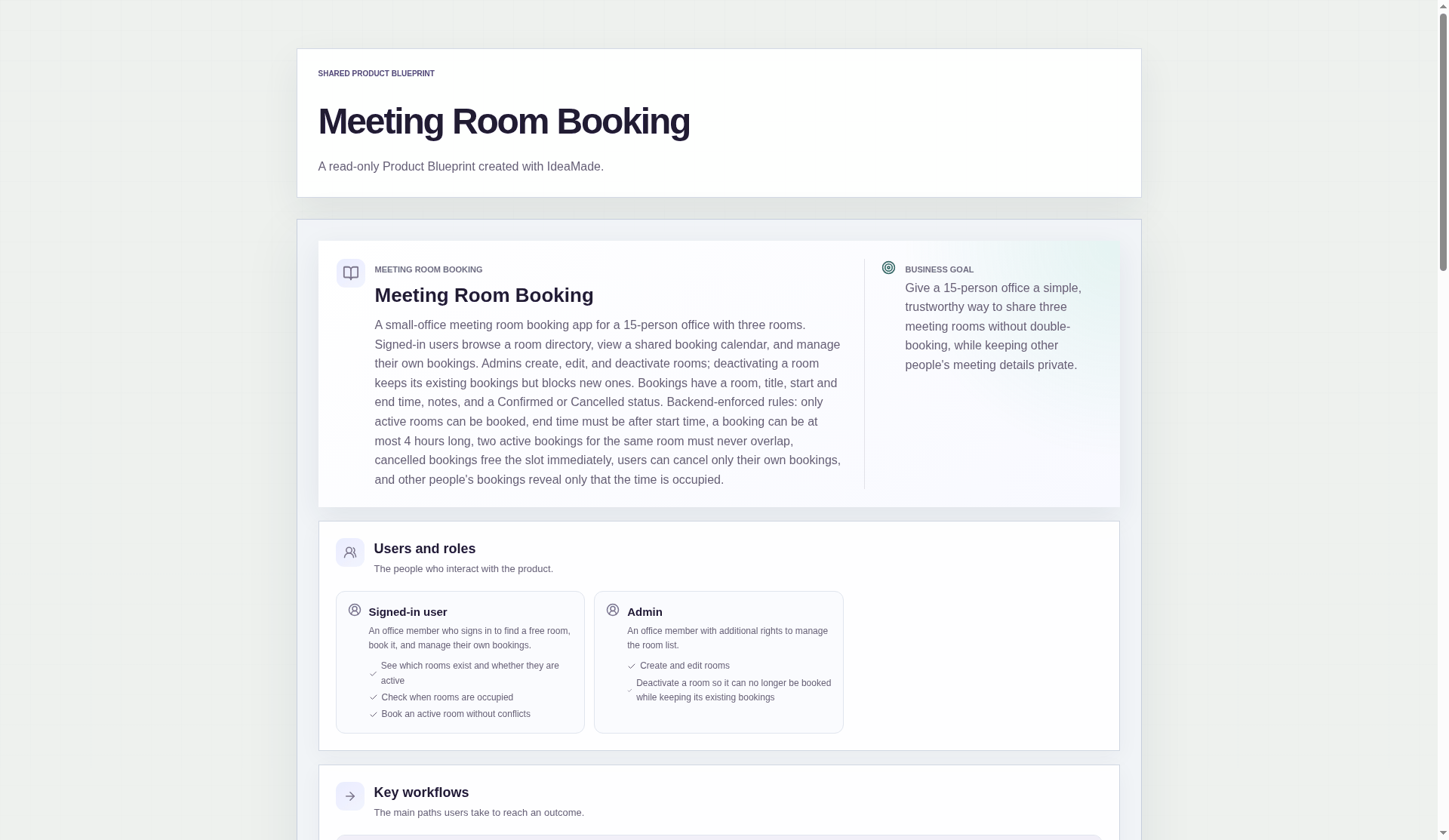
This sample blueprint is a room booking system for a 15-person office with three meeting rooms: a shared calendar, clear booking rules, and private meeting titles.
Who this is for
- Office managers and ops leads in a small office still juggling rooms in a shared calendar or chat
- Founders of a 10–20 person team who need one shared room calendar without buying a booking product
- Small teams that want clear booking rules (no double-booking, private meeting titles) without writing code
Sample blueprint, read-only. Open it with no sign-in. Select "Build this app with IdeaMade" at the bottom to open it in the blueprint editor, where you can change it and continue.
Building the app requires signing in.
The app has two roles: signed-in users, who book rooms, and admins, who also manage the room list.
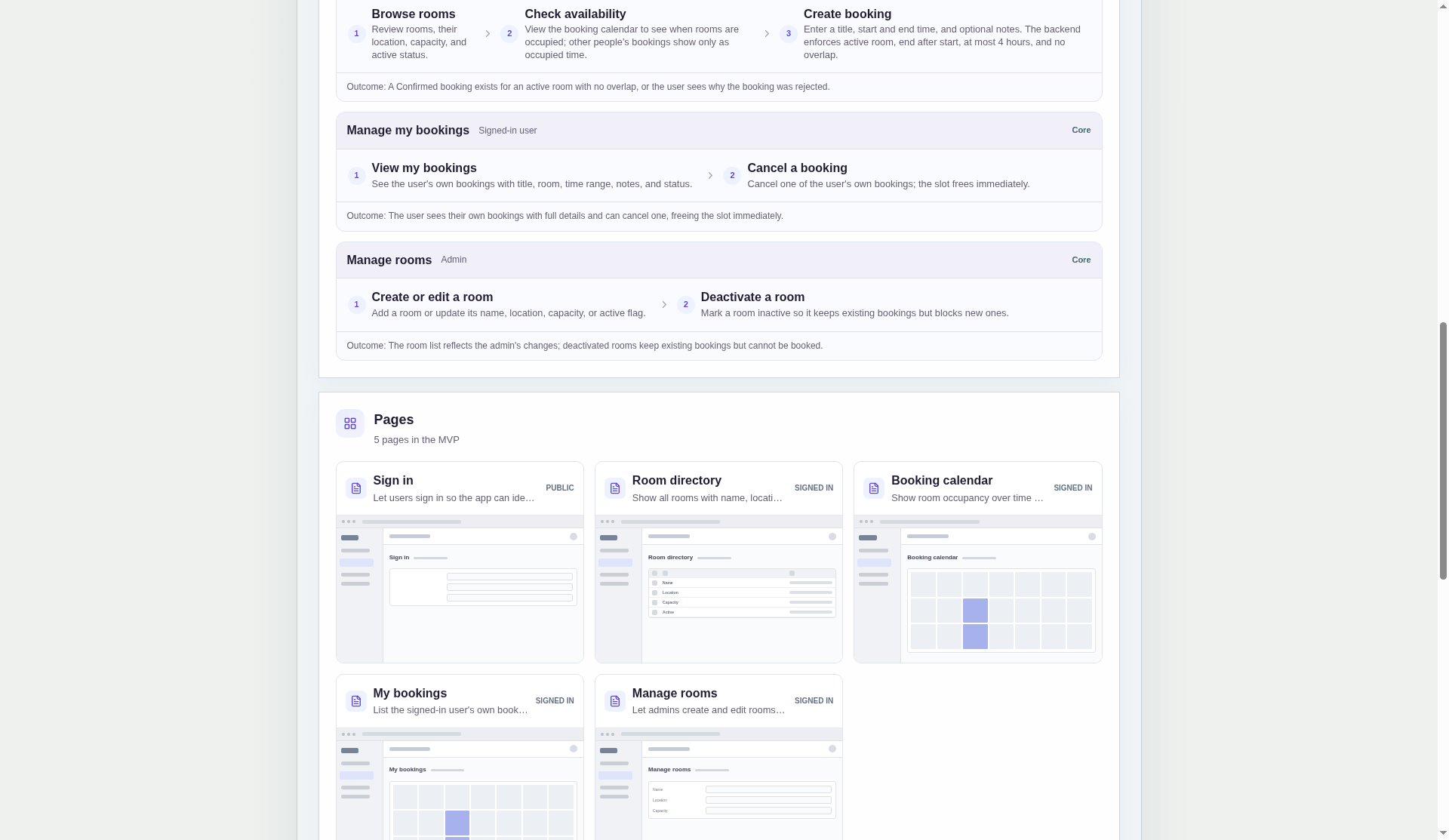
It has five pages:
- Sign in: so the app knows who owns each booking and who is an admin
- Room directory: every room, with its name, location, capacity and whether it is active
- Booking calendar: when each room is occupied, and where a new booking starts
- My bookings: your own bookings with full details, and a way to cancel them
- Manage rooms: where admins create, edit and deactivate rooms
A room has a name, a location, a capacity and an active flag.
A booking has a room, a title, a start time, an end time, optional notes and a status: Confirmed or Cancelled.
Sample data.
Without a booking system, small offices hit the same few problems.
Two people turn up for the same room.
A booking hides in someone's personal calendar.
Someone cancels a colleague's meeting by mistake.
A room out for repair still gets booked.
The shared calendar and the rules below prevent each of these.
A booking that breaks a rule is rejected, and the person sees why.
Otherwise it is saved as Confirmed.
Example scenario: a project lead books "Workshop prep" in the largest room from 14:00 to 15:30.
Here is what the app checks.
No overlapping bookings, checked on the backend.
Two active bookings for the same room can never overlap.
The check runs on the backend, not only in the booking form.
If two people try for the same slot, the second booking is rejected with the reason shown.
A booking can be at most 4 hours long.
The limit stops one person from holding a room all day "just in case".
The end time must be after the start time.
A typo like 15:00 to 14:00 never reaches the calendar.
Bookings start in the future and stay within one calendar day.
This was a confirmed product decision in the sample.
It rules out bookings in the past and bookings that run overnight.
Only active rooms can be booked.
A room that is out for repair, or, for example, closed for repainting, takes no new bookings.
Deactivating a room keeps its existing bookings.
When an admin deactivates a room, new bookings are blocked, but bookings already made are kept.
Cancelling frees the slot immediately, and you can cancel only your own bookings.
A colleague can book the freed slot straight away.
Nobody can cancel someone else's meeting by mistake.
Other people see only occupied time.
On the shared calendar, other people's bookings appear as occupied time blocks.
The title, notes and owner stay hidden.
You see full details only for your own bookings, on the My bookings page.
For example, a confidential interview shows to colleagues only as occupied from 10:00 to 11:00.
What does a small office room booking app need?
A small office room booking app needs a room list, a shared calendar, and a way to book and cancel.
The room list should show each room's location, capacity and whether it is active.
Most important is a conflict check, so two people can never hold the same room at the same time.
A maximum booking length and a way to deactivate a room also help.
How do I stop double bookings in a room booking app?
Check for overlapping bookings on the backend, not only in the booking form.
Before saving, the app should confirm the room is active, the end comes after the start, and no other active booking in that room overlaps the requested time.
If a check fails, show the person why.
When a booking is cancelled, free the slot immediately.
Can other people see what my meeting is about?
Not in this sample blueprint.
Colleagues see only that the room is occupied for a time range.
The title, notes and owner of your booking stay hidden from them.
You see the full details of your own bookings on the My bookings page.
Can I build my own meeting room booking app without coding?
Yes, for a simple internal app.
With IdeaMade, you describe your rooms, booking rules and who sees what in plain language.
IdeaMade turns that into a blueprint you can review and change before anything is built.
You then build the app, preview it with test data, and check the rules before your office relies on it.
Copy this prompt, change the parts in brackets, and paste it into the blueprint generator:
Build a meeting room booking app for [a 15-person office with three rooms]. Rooms have a name, location, capacity and an active flag. Bookings have a room, title, start, end and notes. Block overlapping bookings for the same room, require the end after the start, cap bookings at [four] hours, and require bookings to start in the future and end on the same day. People can cancel only their own bookings. Others only see that a slot is taken.