Feature requests rarely arrive in one place.
One comes in a support email, another in an interview note, a third in a chat message, and a week later nobody remembers which of them are really the same ask.
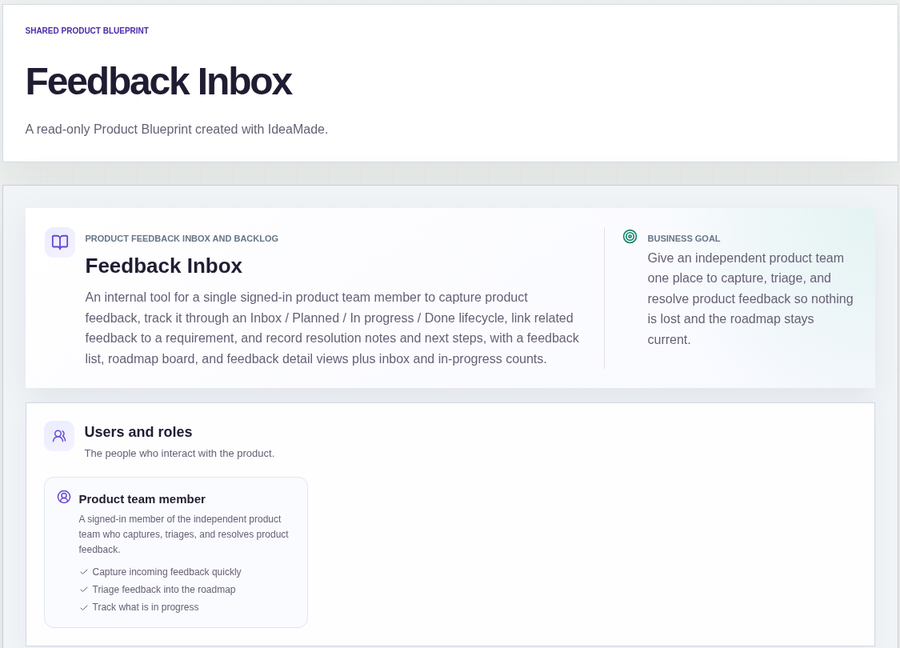
This sample blueprint is an internal feedback inbox and backlog: one list for everything people ask for, requirements that group the duplicates, a status board, and a place to write down what you decided.
Who this is for
- Indie makers who collect feedback from users, email and support
- Product managers on small teams who need one backlog instead of scattered notes
- Anyone who wants an internal inbox first, not a public voting board
Sample blueprint, read-only. Open it with no sign-in. Select "Build this app with IdeaMade" at the bottom to open it in the blueprint editor, where you can change it and continue.
Building the app requires signing in.
The sample is an internal tool for one signed-in product team member.
That person captures feedback, triages it, links related items and records what happened to each one.
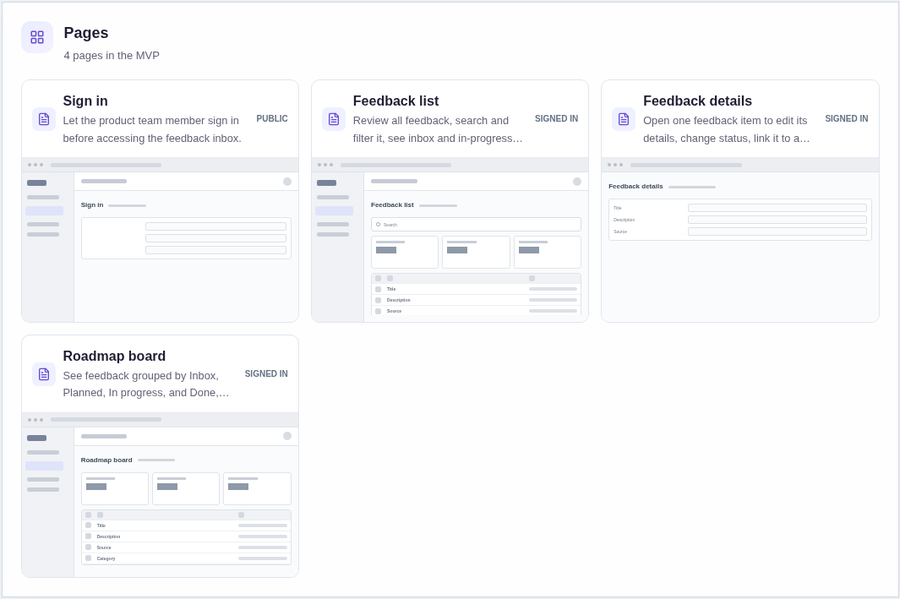
It has four pages:
- Sign in: so only the team member can reach the inbox
- Feedback list: every item, with search, filters, the inbox and in-progress counts, and a way to create a new item
- Feedback details: one item, where you edit it, change its status, link it to a requirement and record the resolution
- Roadmap board: feedback grouped by Inbox, Planned, In progress and Done, where you move items between statuses and manage requirements
A feedback item has a title, a description, a source, a category, a priority, a status and, once it is dealt with, resolution notes and next steps.
A requirement is a separate record that groups many feedback items. Each feedback item links to one requirement.
Sample data.
Without one place for feedback, the same few things go wrong.
The same request is logged three times and counted as three different ideas.
A request is planned, but nobody can say why it was planned or what happened to it.
The list only grows, because nothing ever moves out of the inbox.
The rules below keep each request findable and each decision written down.
Example scenario: a customer emails asking for CSV export. An interview note and a support chat ask for the same thing. The team member adds three feedback items, links them all to one requirement called "CSV export", moves the requirement's feedback to Planned, later to In progress, and finally records what was shipped.
Here is how the app is set up.
New feedback lands in the Inbox.
When the team member creates an item, they enter the title, description, source, category and priority, and it is saved with the Inbox status.
The inbox count on the feedback list shows how much is still waiting to be looked at.
Related feedback is grouped under one requirement.
This was a confirmed product decision in the sample.
A requirement is its own record, and many feedback items can point to it, so three requests for the same thing show up as one requirement.
If the right requirement does not exist yet, the team member creates it while linking.
Status can move from any column to any other.
This was also a confirmed decision.
An item can go straight from Inbox to In progress, and a Done item can be reopened if the problem comes back.
Nothing forces the work through the columns in order.
The board shows what is planned and what is moving.
The roadmap board groups feedback into Inbox, Planned, In progress and Done.
Moving an item is how its status changes, and the in-progress count on the list follows it.
Resolution notes and next steps are written down.
When the team member opens an in-progress item and records the resolution, the notes and next steps are saved and the status becomes Done.
Later, anyone checking why an item was closed can read the reason.
Search and filters find old requests.
The feedback list can be searched and filtered, so a new request can be checked against what is already there before it is added again.
One team member runs the inbox.
The first version serves a single signed-in product team member.
Multi-user roles and permissions are not part of this sample.
What is the simplest way to track feature requests?
Keep every request in one list with a title, description, source, category, priority and a status such as Inbox, Planned, In progress or Done.
Group duplicate requests under one requirement, and write a resolution note when the item is finished.
A board view by status shows what is planned next.
Do I need a public feedback board with voting?
Not necessarily.
Public voting helps when many users should see and rank requests.
This sample leaves public voting out, along with automated email and subscription billing.
It suits a team that collects feedback from interviews, support and email and needs one internal place to sort it.
How do I turn user feedback into product requirements?
Group related feedback under one requirement, so duplicates count as one need.
Then set a priority, move the item to Planned, and record a resolution note and next step when it is done.
In this sample, a requirement is a separate record that many feedback items link to.
Can I build my own feature request tracker without coding?
Yes, for a simple internal tracker.
With IdeaMade, you describe your feedback fields, statuses and how requests are grouped in plain language.
IdeaMade turns that into a blueprint you can review and change before anything is built.
Then you build the app, preview it, and check the rules before your team relies on it.
Copy this prompt, change the parts in brackets, and paste it into the blueprint generator:
Build a product feedback inbox and backlog for [a small product team]. Feedback has a title, description, source, category, priority and a status of Inbox, Planned, In progress or Done. Related feedback is linked to a requirement, which is a separate record that groups many feedback items. Include a feedback list with search and filters, a roadmap board by status, and a feedback detail page with resolution notes and next steps. Show inbox and in-progress counts. One signed-in user. Leave out public voting, automated email and billing.