The ski weekend is over, and the group chat now holds fifteen receipts: the cabin, two grocery runs, lift passes for some of the group and a dinner one friend skipped.
You paid for most of it, and everyone wants to know the same thing: what do I owe, and to whom?
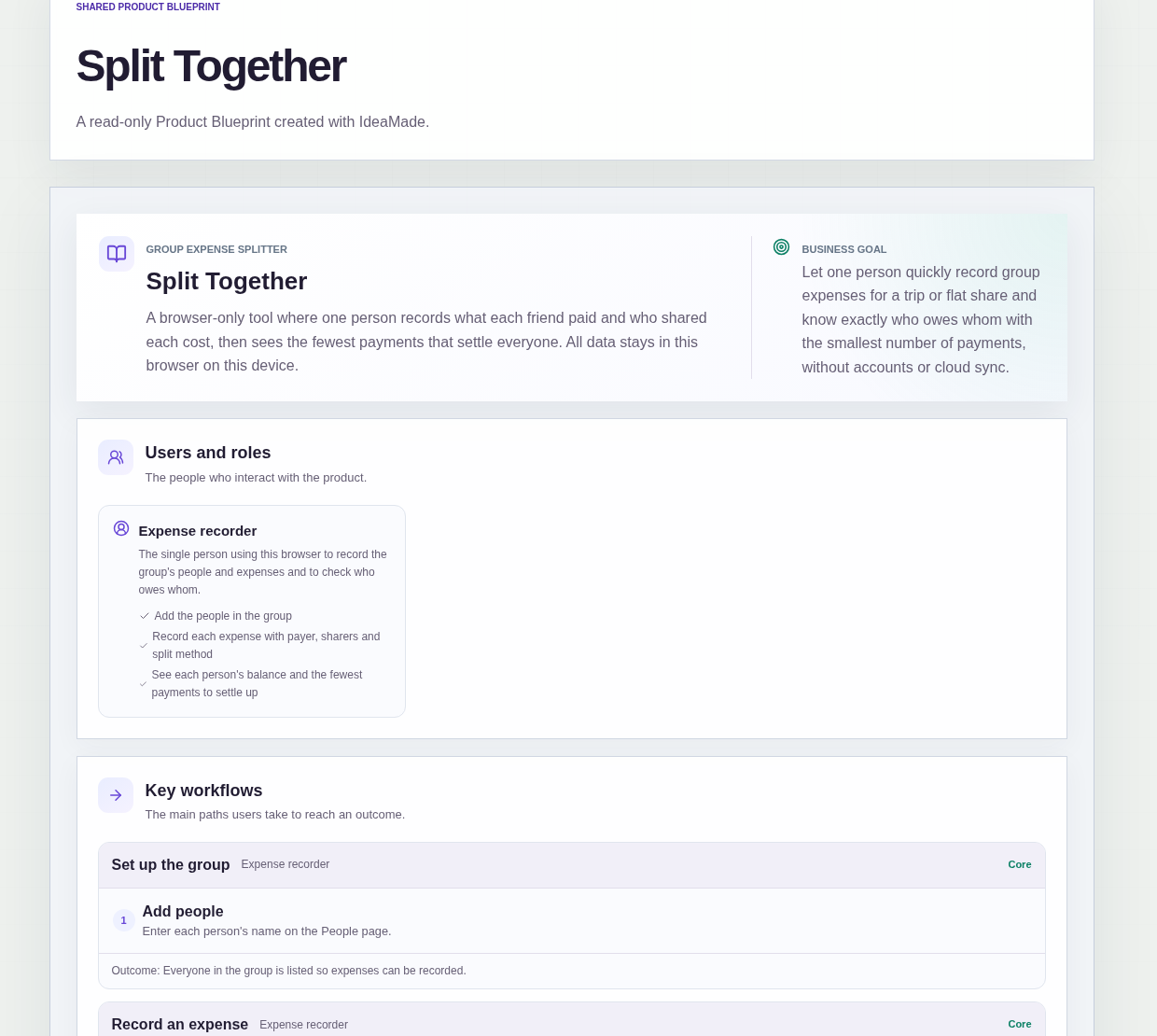
This sample blueprint is a group expense splitter: one person records what each friend paid and who shared each cost, and the app shows each balance and the fewest payments that settle everyone.
Who this is for
- The friend who books and pays for a group trip and keeps the tally
- Flatmates where one person tracks shared bills and groceries
- Anyone who wants to know who owes whom without working it out in a spreadsheet
- Groups where costs are not always shared by everyone
Sample blueprint, read-only. Open it with no sign-in. Select "Build this app with IdeaMade" at the bottom to open it in the blueprint editor, where you can change it and continue.
Building the app requires signing in.
The sample is a browser tool for one person, the Expense recorder, who records the group's people and expenses.
It needs no account, and all three pages are public.
All data stays in this browser on this device, with no sync between devices; clearing browser data removes it.
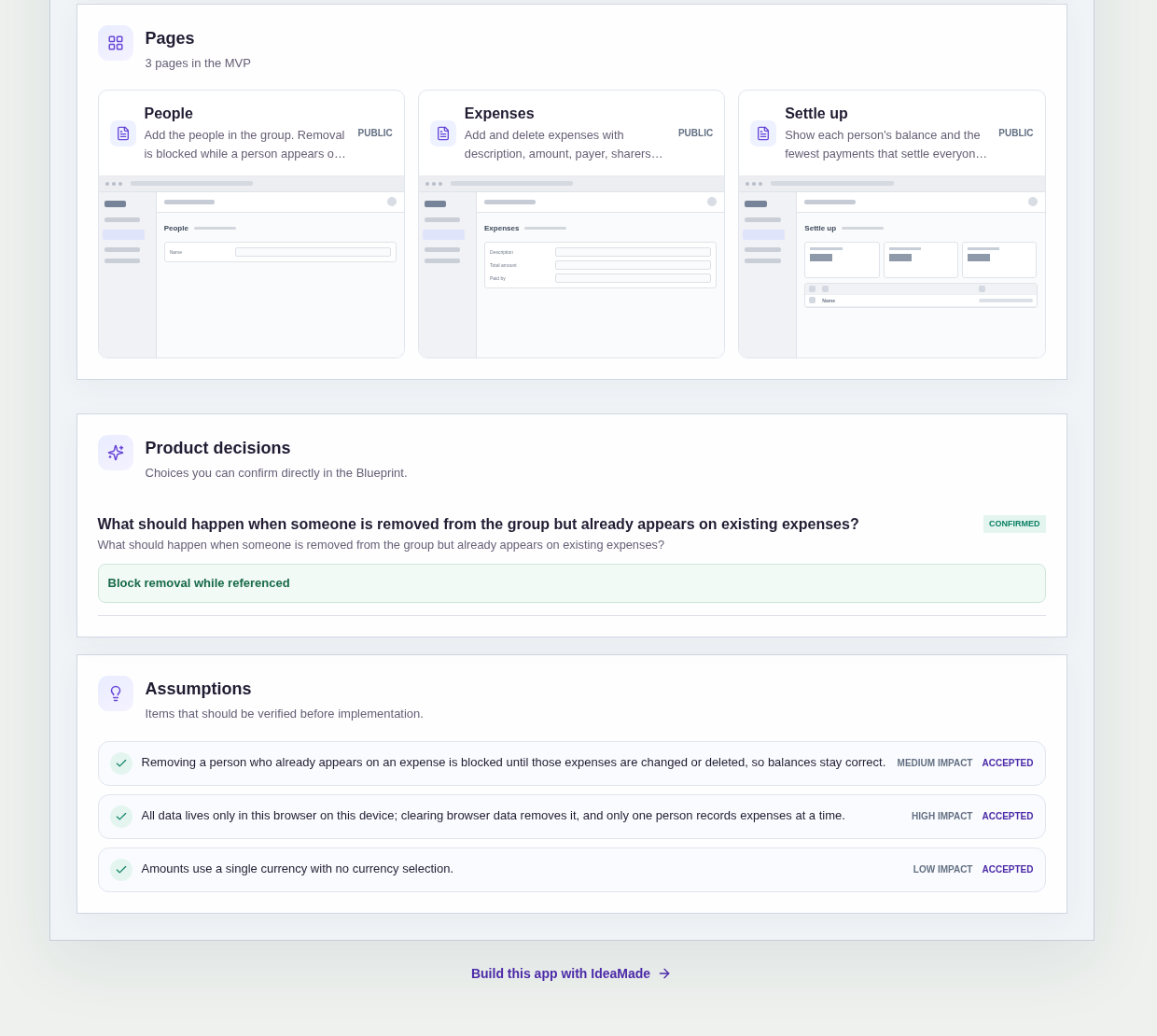
It has three pages:
- People: add the people in the group, with a prompt to add the first person when the list is empty
- Expenses: add expenses with a description, amount, payer, sharers and an equal or custom split, and delete any entered by mistake
- Settle up: each person's balance and the fewest payments that settle everyone, or a note that everyone is even when nothing is owed
A person has a name.
An expense has a description, a total amount, the person who paid, the people who share it and a split method: equal or custom amounts.
Sample data.
Splitting group costs by hand goes wrong in a few familiar ways.
A cost that only some people shared gets divided across the whole group.
Custom amounts are typed in and nobody checks that they add up to the receipt.
Someone is taken off the list, and the costs they shared quietly change everyone else's balance.
Then the group ends up sending money back and forth in more payments than it needs.
The rules below keep each balance traceable to the expenses behind it.
Example scenario: after a ski weekend, the recorder adds six friends on the People page. The cabin is added as one expense, paid by the recorder and split equally among all six. Lift passes are added with a custom split, because only four people bought them and one took a two-day pass. On Settle up, the recorder reads each balance and the short list of payments that leaves everyone even.
Here is how the app is set up.
Every expense records who paid and who shared it.
Each expense has a payer and the people who share it, chosen from the group.
The split is worked out among those sharers, so a dinner one friend skipped can leave that friend out.
That prevents one person's cost from being spread across people who were not there.
Split equally, or by custom amounts.
For each expense you choose an equal split or custom amounts per person.
An equal split suits a cabin everyone stayed in; custom amounts suit lift passes of different lengths.
Custom amounts must add up exactly to the total.
When you choose a custom split, the amounts must match the expense total exactly.
That prevents a split that leaves part of a receipt unassigned, or assigns more than was actually paid.
Balances update as expenses are saved.
When an expense is saved with its payer, sharers and split, the balances update.
Deleting an expense entered by mistake takes it out of the list, so the recorder can correct errors before anyone pays.
Settle up shows the fewest payments.
The Settle up page shows each person's balance and the smallest set of payments that leaves everyone even.
It tells you who pays whom; it records and calculates, and it does not send money.
That prevents a tangle of small transfers when a few payments would settle everything.
Someone on an expense cannot be removed.
This was a confirmed product decision in the sample.
A person who appears on any expense cannot be removed from the group until those expenses are changed or deleted.
That prevents balances from going wrong because a payer or sharer disappeared.
One currency for the whole group.
All amounts use a single currency, with no currency selection.
One person records, in one browser.
The Expense recorder keeps the tally in this browser on this device.
All data is stored only there: there is no sync between devices, and clearing browser data removes it.
How do I split group expenses when not everyone shared every cost?
Record each expense with who paid and who shared it, then split it only among those sharers.
In this sample, you choose an equal split or custom amounts per person, and custom amounts must add up exactly to the expense total.
Balances update as each expense is saved, so a dinner one friend skipped can leave that friend out of that cost.
How do I work out who owes whom after a group trip?
Add up what each person paid and what each person's share of the costs was; the difference is their balance.
In this sample, the Settle up page shows each person's balance and the fewest payments that leave everyone even.
When nothing is owed, it says everyone is even.
It only shows who pays whom; it does not move any money.
Where is the data stored in this group expense splitter?
All data stays in the browser you use, on that device.
The sample needs no account, and its People, Expenses and Settle up pages are public.
One person records the expenses there.
There is no sync between devices, and clearing browser data removes everything recorded, so the group's tally lives with the recorder's browser.
Can I build my own split group expenses calculator without coding?
Yes, for a simple browser tool like this one.
With IdeaMade, you describe the people, the expense fields, how splits work and the pages you want in plain language.
IdeaMade turns that into a blueprint you can review and change before anything is built.
Then you build the app, preview it with test expenses, and check the balances before your group relies on them.
Copy this prompt, change the parts in brackets, and paste it into the blueprint generator:
Build a browser-based group expense splitter for [a friend trip or a flat share]. No account; one person records, and all data is stored only in this browser on this device. Pages: People (add the people in the group), Expenses (add and delete expenses with description, total amount, who paid, who shares it, and an equal or custom split) and Settle up (each person's balance and the fewest payments that settle everyone). Custom amounts must add up exactly to the total. A person who appears on an expense cannot be removed. Amounts use one currency. Do not add [sync, sharing links or receipt photos].
Your idea, made real.