You host an open house and leave a paper clipboard on the kitchen counter.
Halfway through, a couple asks whether anyone else can read the emails above theirs.
After the showing, your notes live on that clipboard and in phone photos.
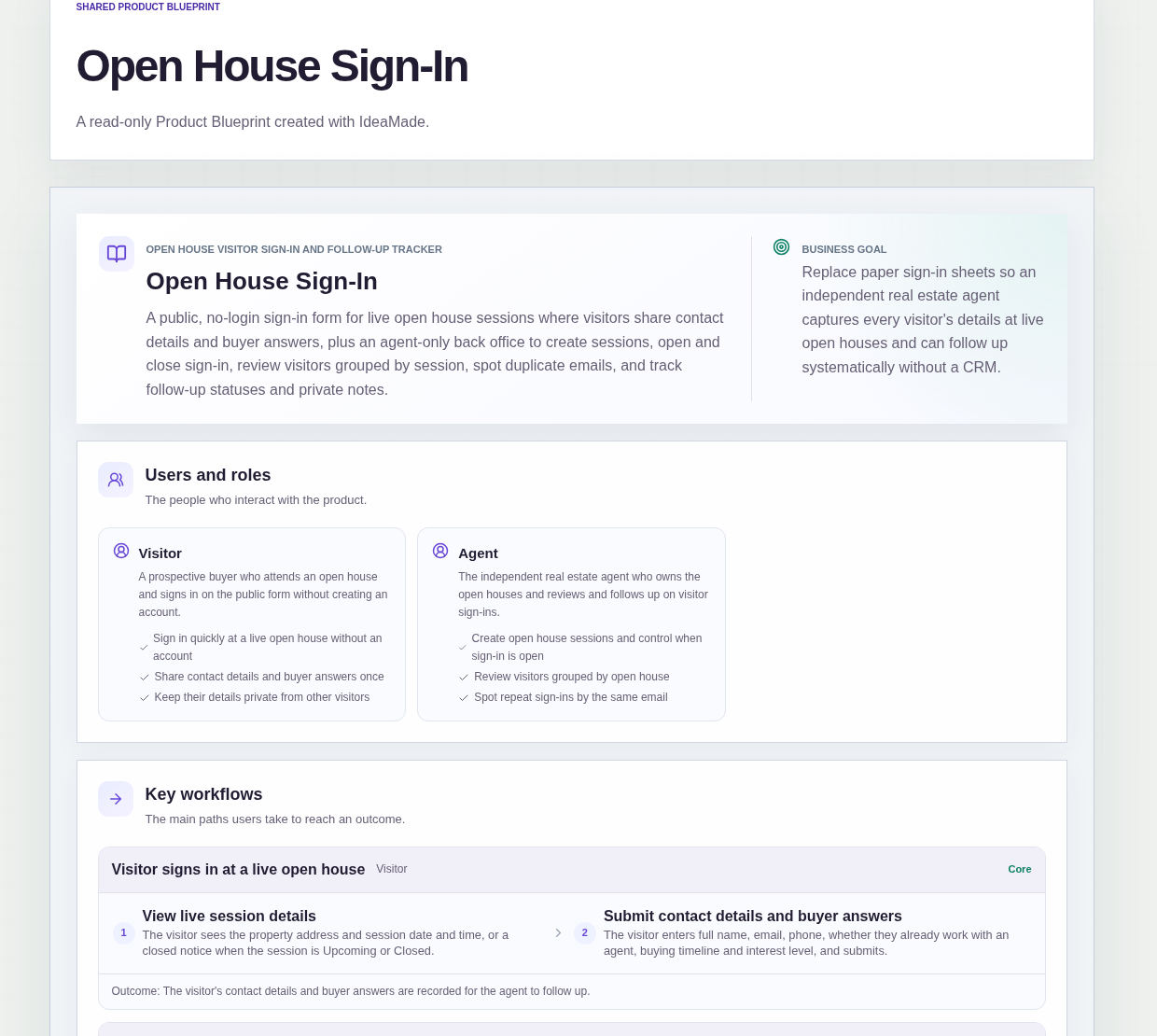
This sample blueprint is a digital open house sign-in for an independent real estate agent: visitors submit on a public form while the session is Live, and you review each guest in an agent-only back office grouped by open house.
Who this is for
- Independent real estate agents who still use paper sign-in sheets at open houses
- Solo listing agents who need one place for visitor contacts after each showing
- Two-person brokerages where one agent owns the listings and the follow-up
- Anyone who wants digital open house sign-in without a full CRM
Sample blueprint, read-only. Open it with no sign-in. Select "Build this app with IdeaMade" at the bottom to open it in the blueprint editor, where you can change it and continue.
Building the app requires signing in.
The sample has a public side for prospective buyers and a signed-in side for the agent.
It has two roles:
- Visitor: a prospective buyer who signs in on the public form without an account, shares contact details and buyer answers once, and never sees other visitors' details
- Agent: the independent real estate agent who creates sessions, opens and closes sign-in, reviews visitors by open house, spots duplicate emails, and updates follow-up status and private notes
Only one agent account is in scope for the first version, provisioned outside the app.
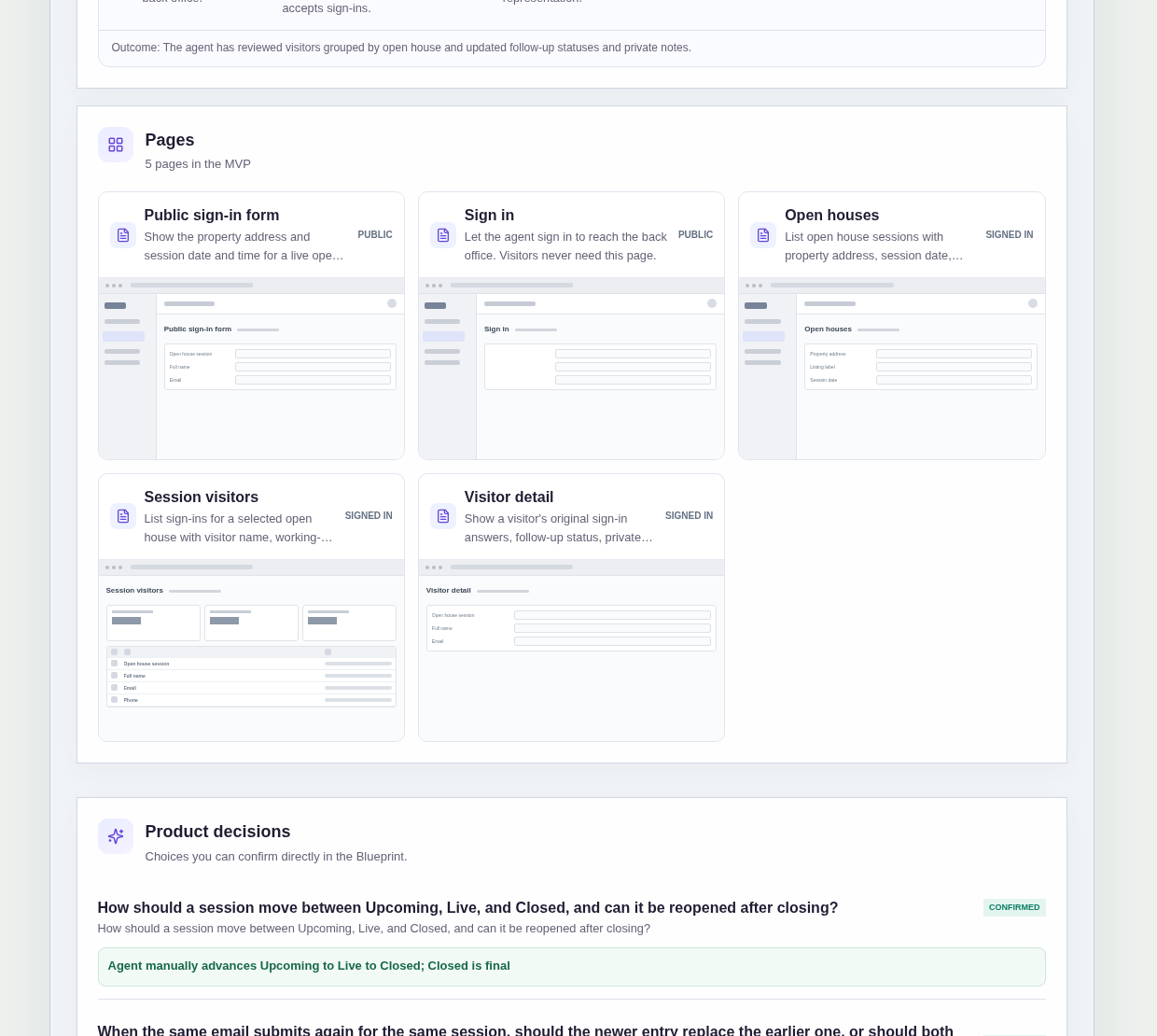
It has five pages:
- Public sign-in form (public): property address and session date and time for a Live open house; visitors submit without signing in; Upcoming and Closed sessions show a closed notice
- Sign in (public): so the agent can reach the back office; visitors never need this page
- Open houses: sessions with property address, listing label, session date, status and visitor count, plus create session
- Session visitors: sign-ins for one open house with name, working-with-agent flag, interest level, follow-up status and duplicate-email badge, filterable by follow-up status and representation
- Visitor detail: original sign-in answers, follow-up status, private notes and other open houses attended by the same email
An open house session has a property address, listing label, session date, visitor count, session status and a public sign-in link.
A visitor sign-in holds the open house session, full name, email, phone, whether they already work with an agent, buying timeline, interest level, follow-up status, duplicate-email badge and private notes.
Session status values in the sample are Upcoming, Live and Closed.
When the Open houses list is empty, it invites the agent to create the first session.
Sample data.
When sign-ins live on paper, the same problems show up every weekend.
A guest hesitates to write an email that other buyers can see.
The same person submits twice, and you cannot tell which row is the newer one.
A lead you already finished still sits editable next to fresh contacts.
The rules below give each live open house one public link and each visitor a follow-up record the agent can trust.
Example scenario: the agent creates a session for 214 Maple Street, shares the public link, and sets it Live. Visitors enter full name, email, phone, whether they already work with an agent, buying timeline and interest level. After the showing the agent closes the session, reviews Session visitors, opens a repeat email and updates follow-up status and private notes.
Here is how the app is set up.
Sign-in is accepted only while the session is Live.
Each open house session has a public sign-in link the agent shares with visitors.
The form accepts submissions only while the session is Live.
Upcoming and Closed sessions show a closed notice instead of the form, so guests cannot leave details on a session that is not open.
The agent advances Upcoming to Live to Closed, and Closed is final.
This was a confirmed product decision in the sample.
The agent moves a session from Upcoming to Live when sign-in should open, then to Closed when the showing ends.
A Closed session cannot be reopened, so yesterday's link cannot collect new names.
Visitors never see other guests' details.
Prospective buyers submit on a public page with no account.
They do not see previous guests' names, phones or emails the way a paper clipboard on the kitchen counter would expose them.
Only the signed-in agent can review submitted entries.
A second submission with the same email in one session is kept and flagged.
This was a confirmed product decision in the sample.
When the same email submits again for the same open house session, both entries are kept and the newer entry is flagged with a duplicate-email badge.
The first submission is not overwritten, so the agent can compare both answers on the Session visitors list.
Visitor detail shows other open houses attended by the same email.
When the agent opens a visitor, the detail page lists other open houses that email has attended.
Repeat buyers across listings become visible without a separate spreadsheet.
Closed follow-up status locks the original answers.
Once a visitor's follow-up status is set to Closed, their original sign-in answers are locked.
Private notes can still be added, so the agent can keep context without changing what the visitor originally submitted.
How does a digital open house sign-in replace a paper sign-in sheet?
Use a public form for Live open house sessions and an agent-only list afterward.
In this sample, visitors submit full name, email, phone, whether they already work with an agent, buying timeline and interest level without creating an account, and they never see other guests' details.
The agent reviews sign-ins grouped by open house, spots duplicate-email badges and updates follow-up status and private notes.
When can visitors submit on an open house sign in sheet app?
Only while the open house session is Live.
In this sample, the agent manually advances each session from Upcoming to Live to Closed, and a Closed session cannot be reopened.
Upcoming and Closed sessions show a closed notice on the public link instead of the form, so sign-ins stop when the showing ends.
What happens if the same email signs in twice at one open house?
Both entries are kept, and the newer one is flagged as a duplicate.
In this sample, a duplicate-email badge appears on the newer submission in the Session visitors list rather than replacing the first answer.
On Visitor detail, the agent can also see other open houses attended by that same email across listings.
Can I build an open house sign in sheet app without coding?
Yes, for a simple public form plus an agent back office.
With IdeaMade, you describe the visitor form, session statuses, duplicate handling and follow-up rules in plain language.
IdeaMade turns that into a blueprint you can review and change before anything is built.
Then you build the app, preview a Live session with test visitors and check the Closed lock before you use it at a real showing.
Copy this prompt, change the parts in brackets, and paste it into the blueprint generator:
Build an open house sign-in app for [an independent real estate agent] replacing paper sheets. Visitors open a public form for a Live open house without signing in and submit full name, email, phone, whether they already work with an agent, buying timeline and interest level. The agent signs in, creates sessions (property address, listing label, session date), advances Upcoming to Live to Closed (Closed is final), reviews visitors by open house, keeps both entries when the same email submits twice and flags the newer, updates follow-up status and private notes, and on Visitor detail sees other open houses for that email. Closed locks original answers; notes can still be added. One agent account. No thank-you messages, CRM sync, native apps, uploads, payments or AI.