You buy flour by the sack and butter by the block, but your recipe uses grams, and the price you put on a slice of cake is mostly a guess.
Then you trim the vegetables, lose part of what you paid for, and the cost per serving quietly goes up.
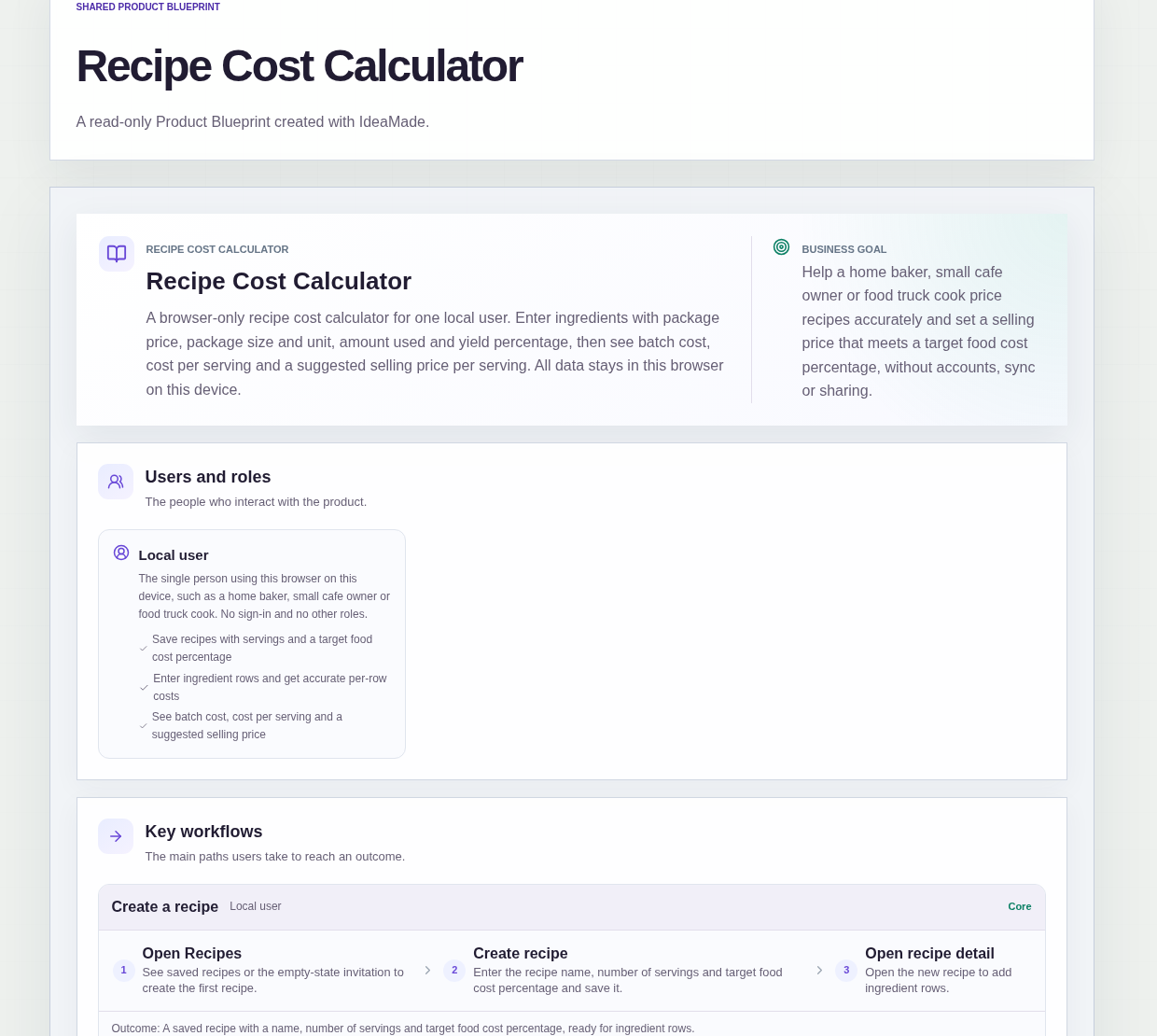
This sample blueprint is a recipe cost calculator: you enter each ingredient with its package price, package size, amount used and yield, and it shows the batch cost, the cost per serving and a suggested selling price based on your target food cost percentage.
Who this is for
- Home bakers who sell cakes, cookies or bread and want to know what each piece costs
- Small cafe owners pricing menu items from their recipes
- Food truck cooks checking that a dish still pays after ingredient prices change
- Anyone who works out food cost per serving in a notebook or spreadsheet today
Sample blueprint, read-only. Open it with no sign-in. Select "Build this app with IdeaMade" at the bottom to open it in the blueprint editor, where you can change it and continue.
Building the app requires signing in.
The sample is a browser tool for one local user, working on one device.
There is no account and no sign-in: both pages are public.
Recipes are saved only in this browser on this device, and clearing browser data removes them.
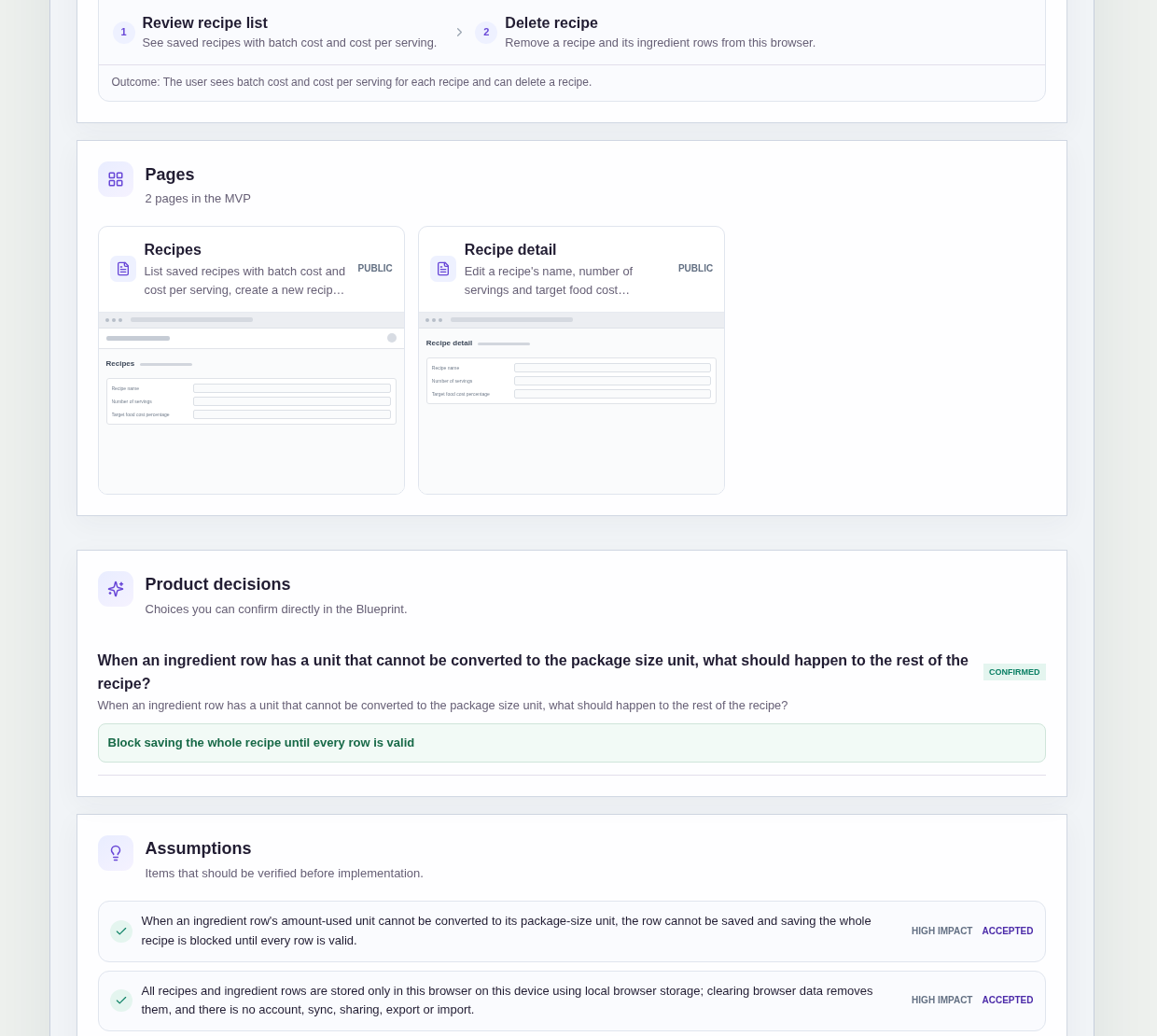
It has two pages:
- Recipes: your saved recipes with batch cost and cost per serving, where you create a new recipe or delete one, with an invitation to create the first recipe when the list is empty
- Recipe detail: edit the recipe name, number of servings and target food cost percentage, add, edit and remove ingredient rows, and see the costs and the suggested selling price
A recipe has a name, a number of servings and a target food cost percentage.
Each ingredient row has a name, a package price, a package size and unit, an amount used and unit, and a yield percentage that starts at 100%.
Sample data.
Costing recipes by hand goes wrong in a few familiar ways.
A package bought in one unit is divided by an amount in another, and the row cost is off by a factor nobody notices.
Trim and waste are ignored, so the cost per serving looks lower than it is.
A selling price is set from habit, not from what the dish costs.
The rules below keep every number traceable to the ingredients.
Example scenario: a home baker costs a batch of muffins. They add rows for flour, butter, sugar and blueberries, each with the package price, package size, amount used and a yield percentage. The detail page shows the batch cost, the cost per serving and a suggested selling price from the target food cost percentage. They type the price they charge today, and it turns red because it is below the cost per serving.
Here is how the app is set up.
A row saves only when its units convert.
The amount-used unit must convert to the package-size unit, or the ingredient row cannot be saved.
That prevents a row cost built on a mismatched unit that nobody spots.
The whole recipe waits for every row to be valid.
Saving the recipe is blocked until every ingredient row is valid.
That prevents a saved recipe with a batch cost that quietly leaves out a broken row.
Yield below 100% raises the row cost.
Each row has a yield percentage, 100% by default.
The row cost is yield-adjusted, so when only part of what you buy is usable, the cost of the part you use goes up.
That prevents trim and waste from vanishing from your food cost.
The suggested selling price comes from your target food cost percentage.
Each recipe has a target food cost percentage.
The detail page shows the batch cost, the cost per serving and a suggested selling price per serving based on that target.
With zero servings, no result is shown, so you never see a misleading figure.
A selling price below cost is shown in red.
You can type a selling price per serving and compare it on screen with the cost per serving.
If it is lower, it is shown in red.
That prevents selling a dish at a loss without noticing.
Recipes stay in this browser on this device.
The Recipes page says that data is stored only in this browser on this device and that clearing browser data removes it.
The sample has no account, sync, sharing, export or import.
How do I calculate food cost per serving for a recipe?
Work out what each ingredient costs for the amount you use, add the rows into a batch cost, and divide by the number of servings.
In this sample, each row uses the package price, package size, amount used and yield percentage.
The detail page shows the batch cost and the cost per serving, and with zero servings it shows no result instead of a misleading number.
How does a target food cost percentage set my selling price?
The target food cost percentage is the share of the selling price you want ingredients to take.
In this sample, each recipe stores that target, and the detail page shows a suggested selling price per serving from it next to the cost per serving.
You can also type the price you charge now; if it is below the cost per serving, it is shown in red on screen.
Why does yield percentage matter in recipe costing?
Yield percentage accounts for the part of an ingredient you cannot use, such as peel, trim or bones.
In this sample, every ingredient row has a yield percentage that starts at 100%.
When you lower it, the row cost is yield-adjusted and goes up, because you pay for the whole package but use only part of it.
That keeps the cost per serving closer to what the dish really costs.
Where are my recipes saved in this recipe cost calculator?
Recipes are saved only in the browser you use, on that device.
This sample has no account or sign-in, and both pages are public.
The Recipes page says that clearing browser data removes your recipes.
There is no sync, sharing, export or import, so another browser or device will not show the recipes you saved here.
Copy this prompt, change the parts in brackets, and paste it into the blueprint generator:
Build a browser-based recipe cost calculator for [a home baker who sells at a weekend market]. No sign-in; recipes are saved only in this browser on this device. A recipe has a name, number of servings and target food cost percentage. Ingredient rows have a name, package price, package size and unit, amount used and unit, and yield percentage (100% by default). Pages: Recipes (list with batch cost and cost per serving, create and delete) and Recipe detail (edit rows and see costs). A row saves only when its units convert, and the recipe cannot be saved until every row is valid. Show batch cost, cost per serving and a suggested selling price from the target, and show an entered selling price in red when it is below cost per serving. Do not add [accounts, sync, sharing, export or import].
Your idea, made real.