At the end of the season, someone asks how many volunteer hours went into the community garden.
You open a shared sheet where anyone could type anything, and you find the same Saturday logged twice and a row that says 20 hours.
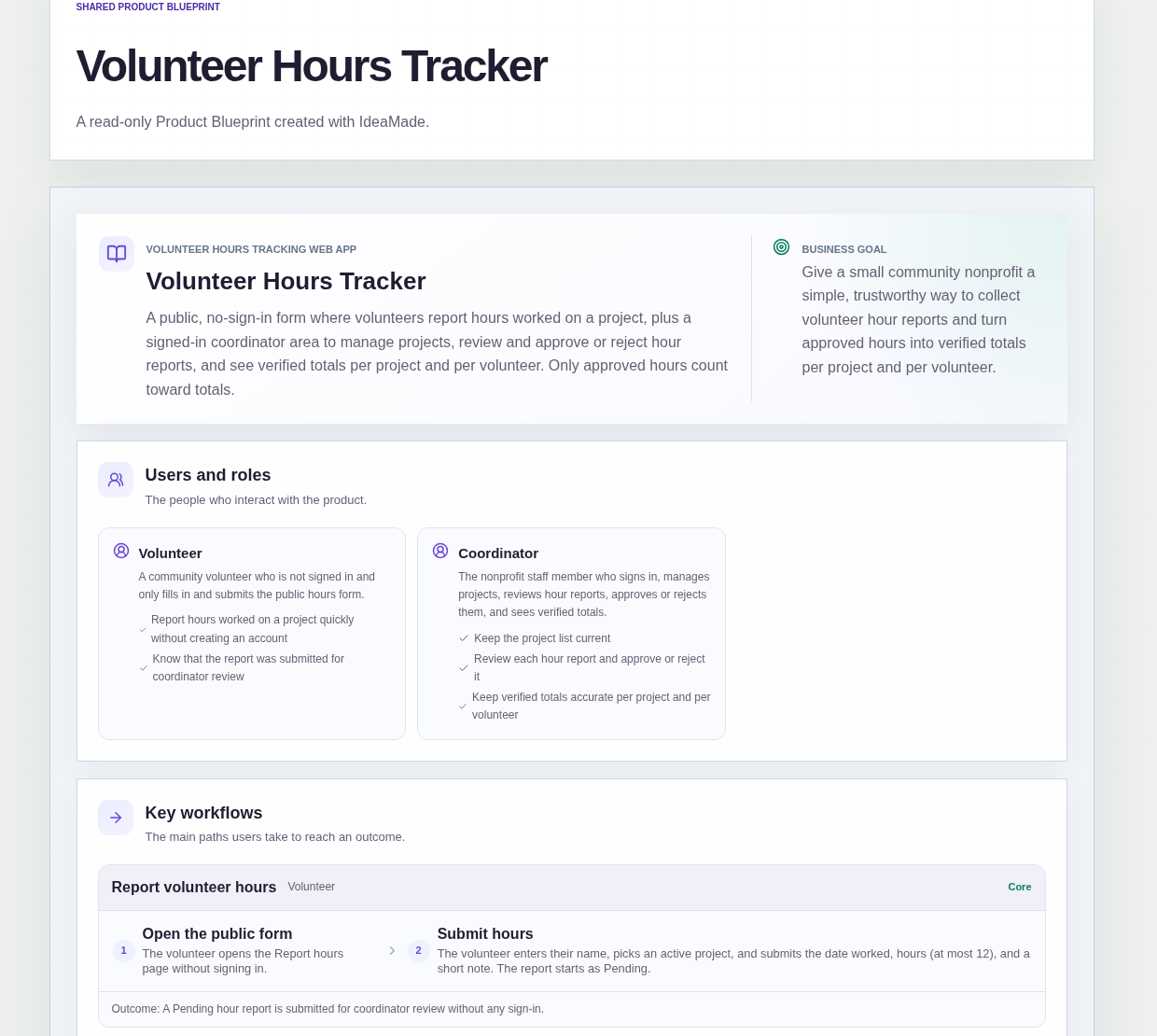
This sample blueprint is a volunteer hours tracker for a small community nonprofit: volunteers report hours on a public form, a coordinator reviews each report, and only approved hours become verified totals.
Who this is for
- Coordinators at community nonprofits who collect volunteer hours from many people
- Parent committees that need a clear count of hours given to school projects
- Food banks that track volunteer time across several programs
- Anyone who wants volunteers to log hours without creating an account
Sample blueprint, read-only. Open it with no sign-in. Select "Build this app with IdeaMade" at the bottom to open it in the blueprint editor, where you can change it and continue.
Building the app requires signing in.
The sample has a public form for volunteers and a signed-in area for the coordinator.
There are two roles:
- Volunteer: never signs in, and only fills in and submits the public hours form
- Coordinator: signs in, manages projects, reviews hour reports and sees verified totals
The blueprint assumes a single coordinator role with full access.
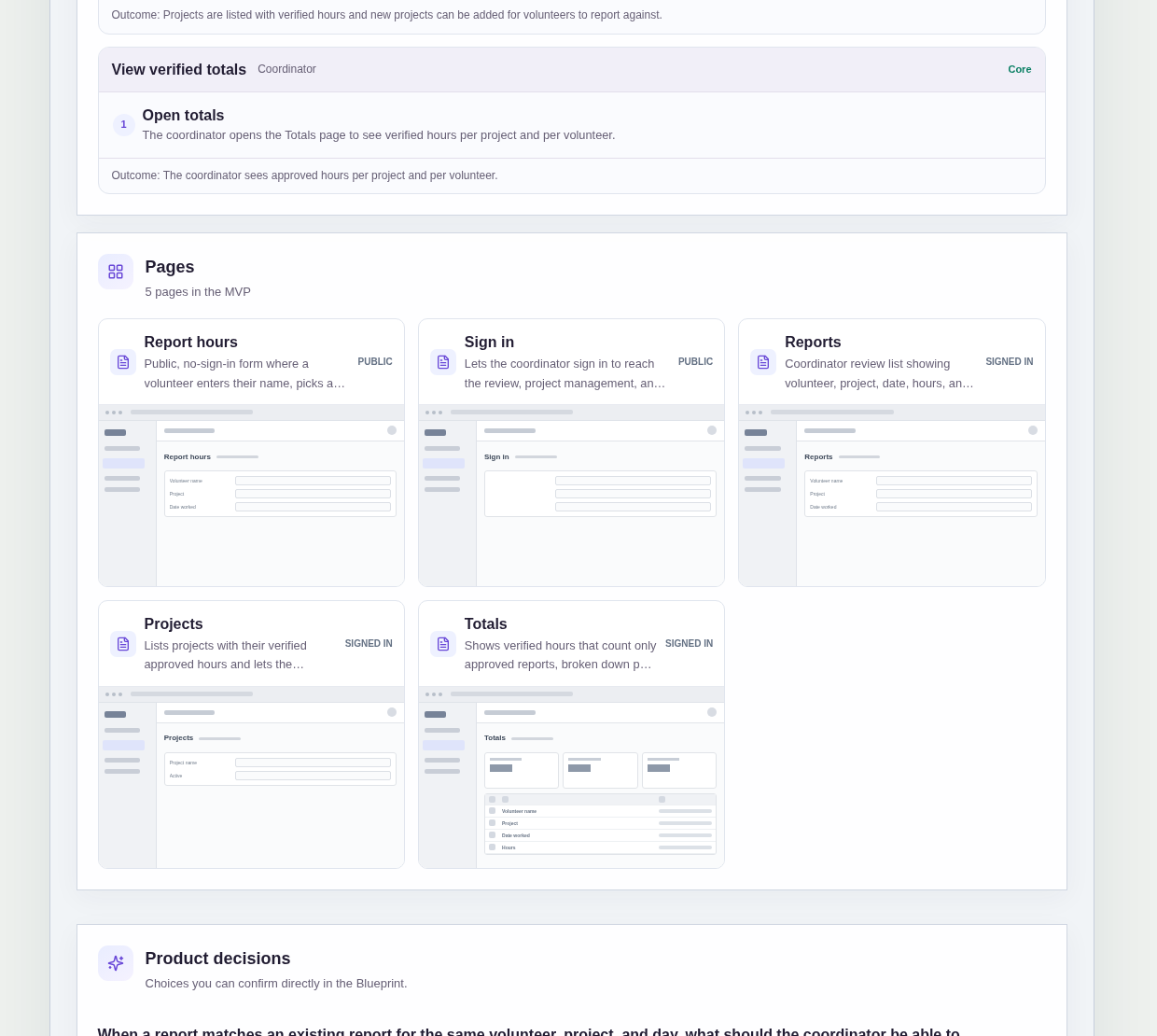
It has five pages:
- Report hours: a public form with no sign-in, where a volunteer enters their name, picks an active project, and submits the date worked, hours and a short note
- Sign in: for the coordinator only
- Reports: the review list with volunteer, project, date, hours and status, filterable by status and by project
- Projects: each project with its verified hours, and a way to add a project with a name and an active flag
- Totals: verified hours per project and per volunteer
Sample data.
When hours are collected in an open sheet or by message, the same problems come back.
Totals include hours nobody checked.
The same shift gets reported twice.
A typo turns 2 hours into 20.
The rules below are what this sample does to prevent that.
Example scenario: a volunteer helps at a food drive on Saturday. She opens the Report hours page, types her name, picks the food drive project, and enters 4 hours with a short note. The report arrives as Pending. The coordinator approves it on the Reports page, and the 4 hours appear in the Totals for the project and for her.
Every report starts as Pending.
A submitted report does not count toward any total until the coordinator reviews it.
Only approved hours count toward totals.
The Projects and Totals pages show verified hours from approved reports only.
Rejected and Pending reports stay out of the numbers.
Reports over 12 hours are blocked.
The form will not accept more than 12 hours in one report.
The same limit applies when the coordinator changes hours while reviewing.
Possible duplicates are flagged, not blocked.
This was a confirmed product decision in the sample.
When a report matches an existing one for the same volunteer, project and day, it is shown with a flag on the Reports list.
The coordinator can still approve or reject it normally.
Changing approved hours leaves a record.
The coordinator can change hours while reviewing a report.
When the hours of an approved report are changed, an edit entry is recorded.
Volunteers report only against active projects.
The coordinator adds projects with a name and an active flag, and the form offers active projects to pick from.
The sample does not include clock-in, certificates or notifications.
How do I track volunteer hours without making volunteers create accounts?
Use a public form for reporting and keep review behind a coordinator sign-in.
In this sample, volunteers open the Report hours page with no sign-in, enter their name, pick an active project, and submit the date, hours and a short note.
Every report starts as Pending, so nothing counts until the coordinator has reviewed it.
How do I approve or reject volunteer hours?
Review each report in one list before it counts.
In this sample, the coordinator signs in and opens the Reports page, which shows volunteer, project, date, hours and status.
The list can be filtered by status or by project.
The coordinator approves or rejects each report and can change the hours while reviewing, up to the 12-hour limit.
What happens if a volunteer reports the same hours twice?
In this sample, a report that matches an existing one for the same volunteer, project and day is flagged on the Reports list.
The flag does not block anything.
The coordinator looks at the flagged report and approves or rejects it like any other, so a real second shift on the same day can still be counted.
Can I build a volunteer hours tracker without coding?
Yes, for a simple tracker run by one coordinator.
With IdeaMade, you describe your form, projects, review steps and counting rules in plain language.
IdeaMade turns that into a blueprint you can review and change before anything is built.
Then you build the app, preview it with test reports, and check the rules before you rely on it.
Copy this prompt, change the parts in brackets, and paste it into the blueprint generator:
Build a volunteer hours tracker for [a small community food bank]. Volunteers do not sign in; they use a public Report hours form to enter their name, pick an active project, and submit the date worked, hours (at most [12]) and a short note. Every report starts as Pending. A coordinator signs in and has full access. Pages: Report hours; Sign in; Reports (volunteer, project, date, hours, status, filter by status and project, approve or reject, change hours while reviewing); Projects (verified hours per project, add a project with a name and active flag); Totals (verified hours per project and per volunteer). Only approved reports count toward totals. Flag reports with the same volunteer, project and day, but still allow approve or reject. Changing hours on an approved report records an edit entry. No clock-in, certificates, badges or notifications.