
Understand Credits and consultation allowances
On this page
IdeaMade uses Credits to generate and update apps, and consultation messages to answer questions. Open the Credits panel anytime to check how much you have left.
Check your remaining allowances
- Click “Credits” at the top of the projects list or Builder.
- Check “Available Credits” in the panel.
- Under “Consultation messages,” check your remaining messages, total allowance, and “Cycle ends” date.
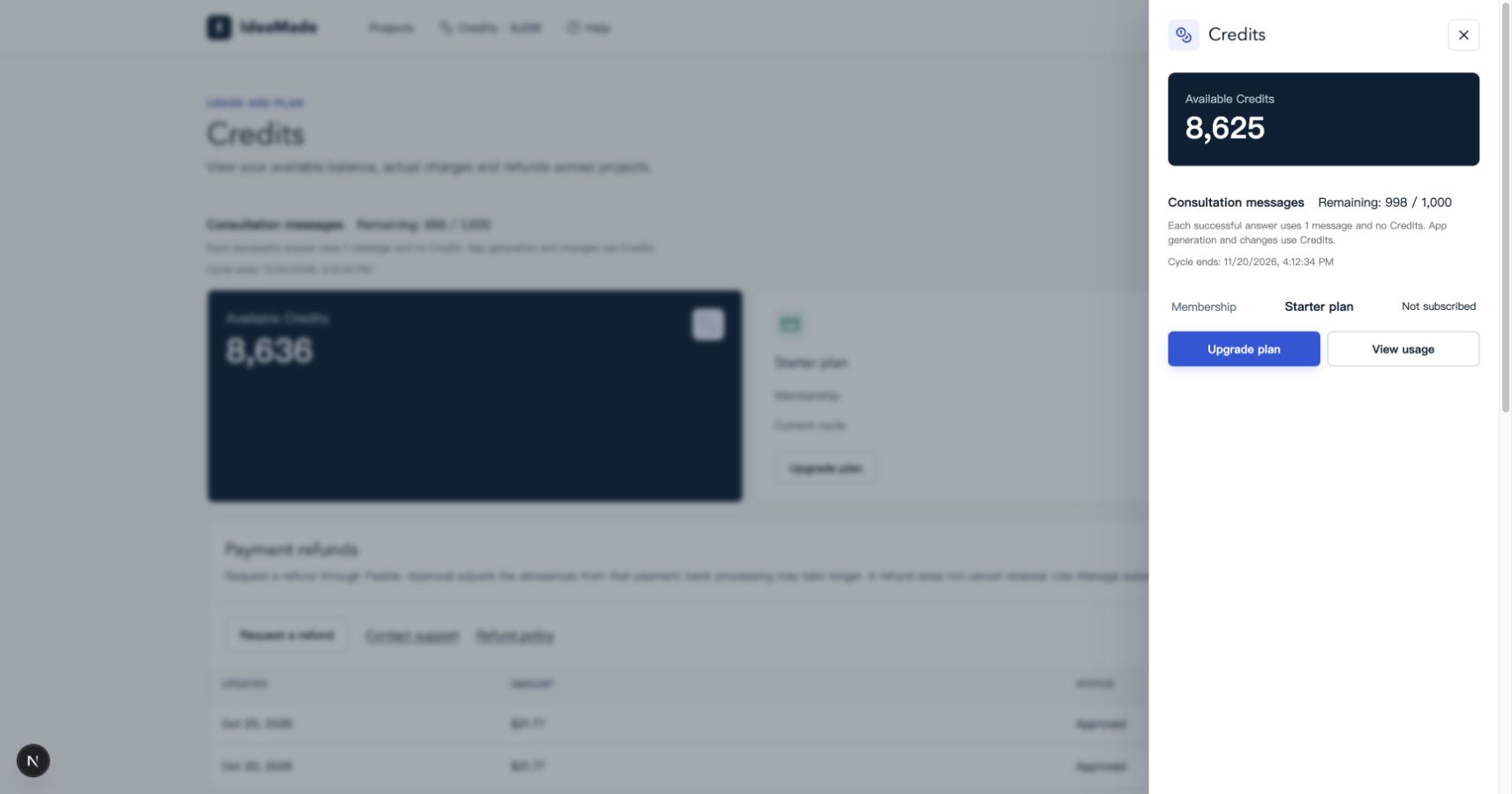
Image: Check your available Credits and consultation allowance for the current cycle.
Projects under the same account share these allowances.
Know which allowance an action uses
| What you want to do | Allowance used |
|---|---|
| Generate an app, prepare a change plan, apply changes, or continue a repair | Credits, charged for actual usage |
| Ask questions, discuss requirements, or learn about an app in consultation mode | Consultation messages; each successful answer uses 1 message |
For example, asking “Which pages does this app have?” uses a consultation message. Asking AI to add a customer filter, prepare a plan, and apply the change uses Credits.
Review usage or choose a plan
Click “View usage” to review Credits consumed by each project. For more capacity, click “Upgrade plan” and compare the Credits and consultation messages included in each plan.
Frequently asked questions
How many Credits does it take to generate an app?
Usage varies with the app’s complexity and the work involved. Check “Usage history” to see the Credits charged for each task.
What can I do when my consultation messages run out?
Wait for your allowance to refresh in the next cycle, or check available upgrade options. Your remaining Credits can still be used to generate and update apps.