
Choose a plan and manage your subscription
On this page
Start with Free to try building an app, then choose Starter or Pro as your needs grow. Every plan supports building, previews, and publishing. The main difference is the included Credits and consultation messages.
Compare plans
Open “Pricing” on the website, or click “Upgrade plan” in the Credits panel. Compare the monthly price, Credits, and consultation messages included in each plan.
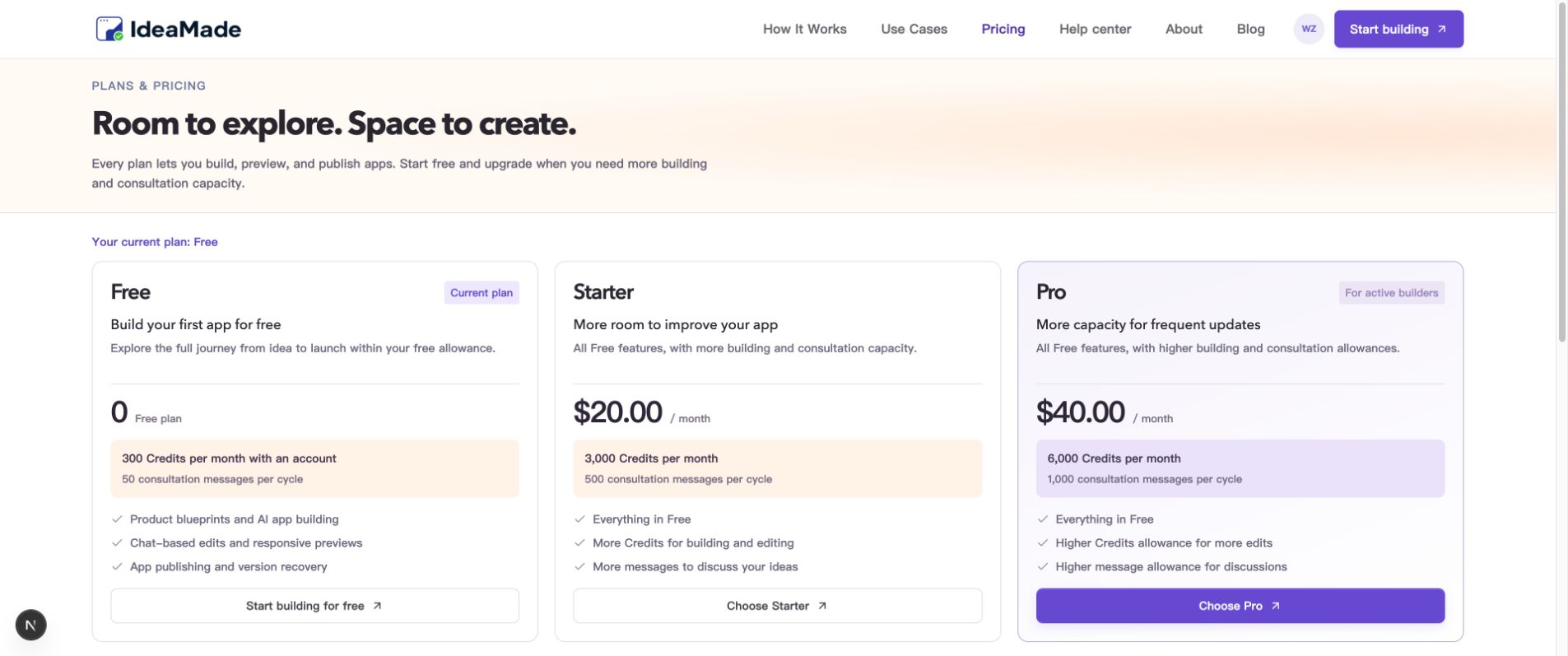
Image: Compare plan prices and allowances. Check the page when subscribing for current details.
Choose a plan and confirm your subscription
- Click “Choose Starter” or “Choose Pro” on the plan card.
- Review the plan, price, and allowances on the confirmation page.
- Click “Continue to payment.” Review the final amount and taxes in Paddle checkout, then follow its instructions to complete payment.
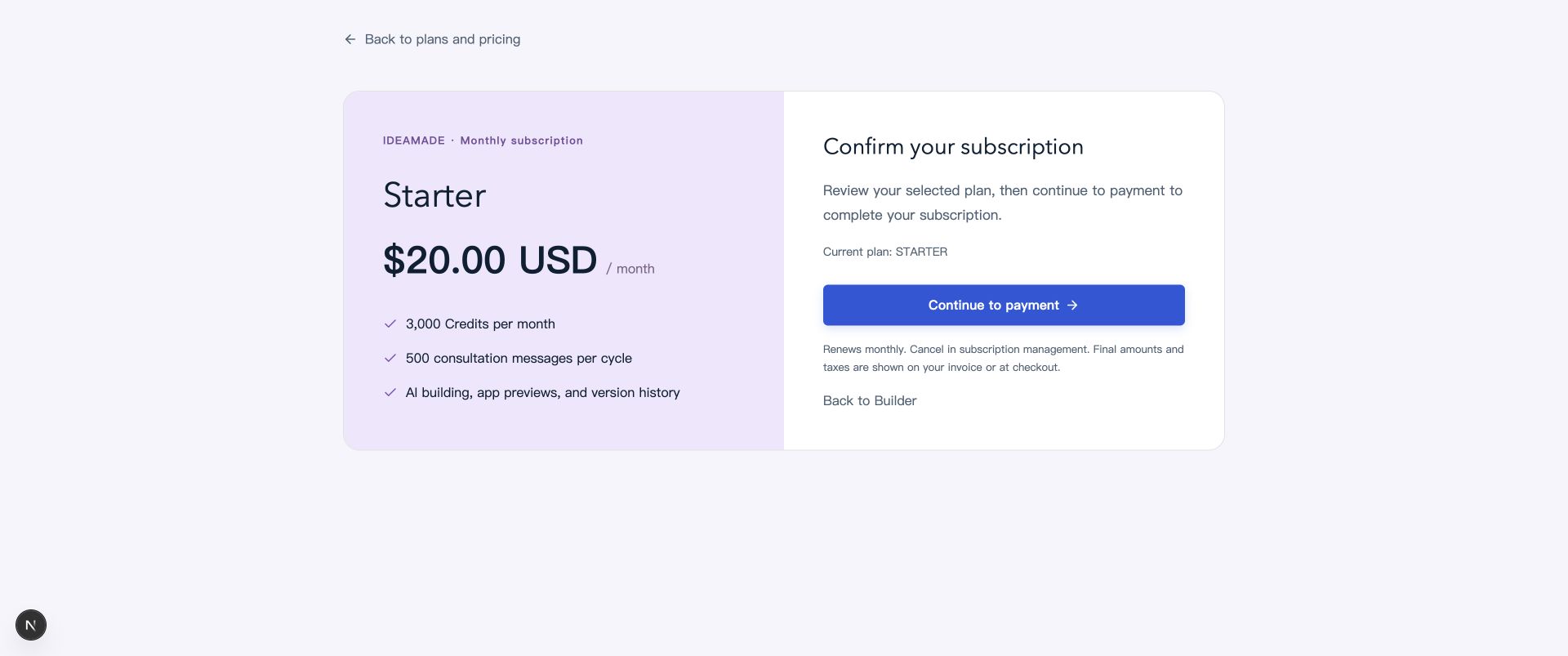
Image: Subscription confirmation. Paid plans renew monthly. To leave before purchasing, click “Back to Builder.”
After payment, return to the Credits page to check your membership status, current cycle, and available allowances.
Manage your subscription or cancel renewal
After subscribing, click “Manage subscription” on the Credits page to open Paddle, where you can view invoices, update your payment method, or cancel renewal.
When canceling, review the effective date and complete the confirmation. Return to the Credits page to check your membership status. You can also use the subscription management link in your payment receipt.
Frequently asked questions
How do I switch plans after subscribing?
Open “Pricing” again and choose the plan you want. Review how the change affects billing and when it takes effect before confirming. An upgrade charges a prorated difference for the remaining cycle; a downgrade takes effect in the next paid billing period.
I paid, but my allowance hasn’t updated. What should I do?
Wait briefly, refresh the Credits page, and check that you are signed in to the account used for the purchase. If the allowance still hasn’t updated, use “Contact support” and include your account email and the transaction reference from your receipt.