Stop generation and continue a task
On this page
You can stop a running generation. Saved app versions are retained, and tasks with recoverable progress offer Continue generation when you are ready to resume.
Find the task you want to stop
This guide shows how to stop an app change and then finish the original request. The example adjusts client status filters at phone width.
To abandon a change plan that is waiting to run, choose Discard plan on its card.
Stop from the running task card
- Find the running task in the conversation.
- Check its progress and current step to identify the right task.
- Choose Stop beside the progress. For an app change, the full action name is “Stop this change.”
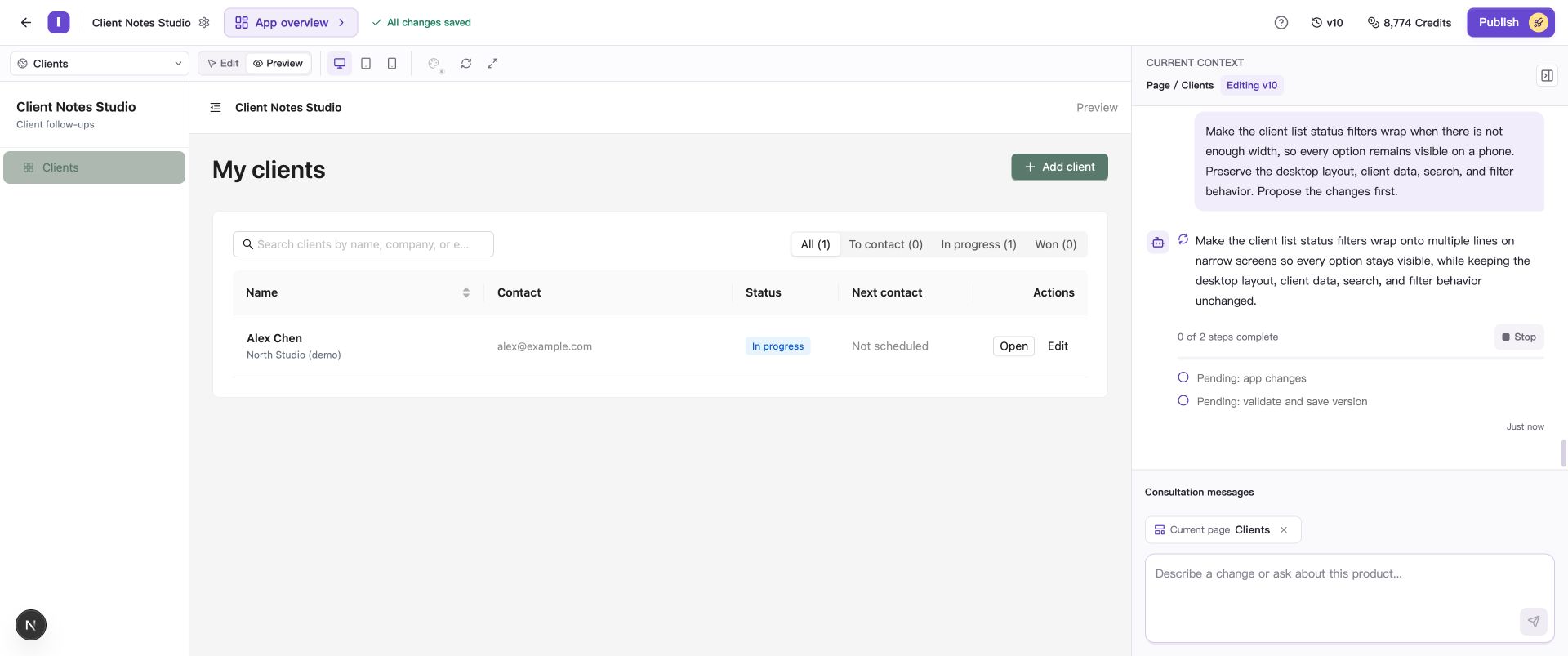
Find the current step on the running task card and use the Stop button beside it.
- Wait for Generation stopped on the card. This can take a moment.
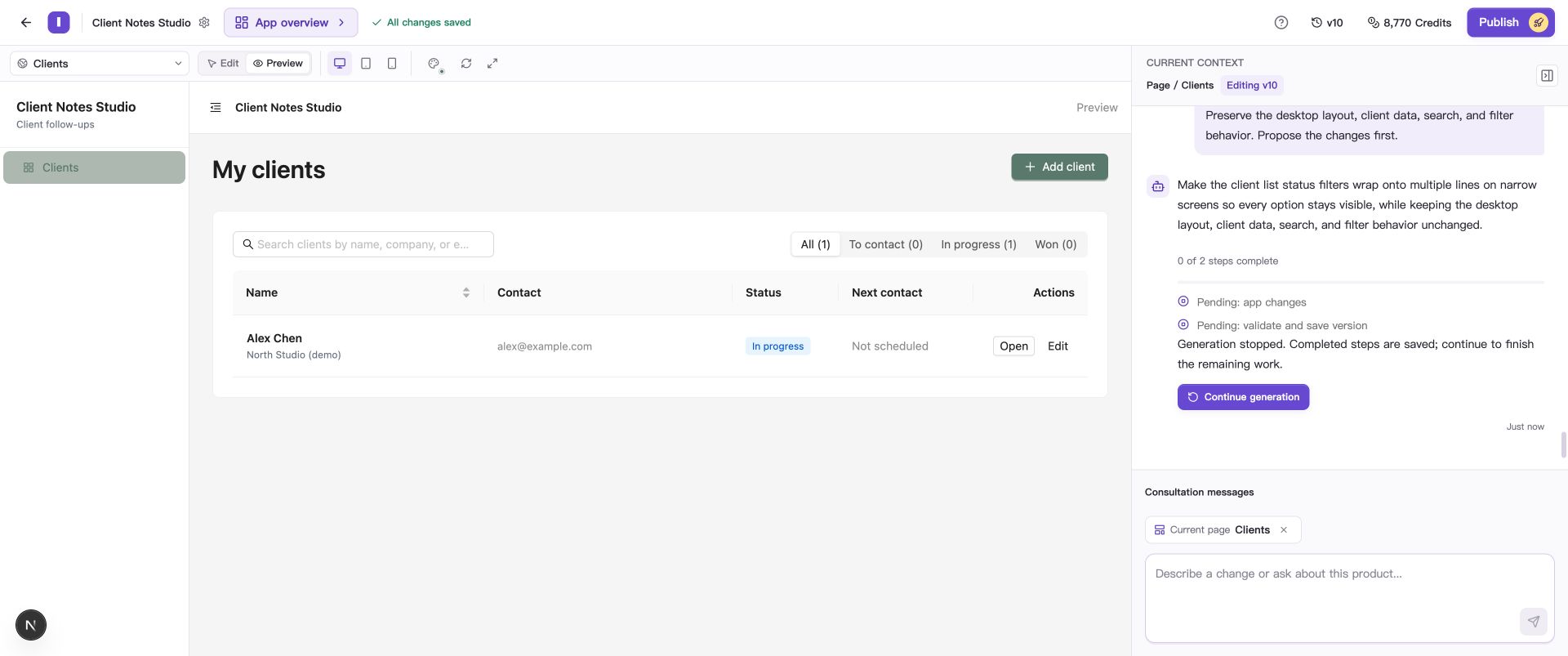
This example stopped before saving a new version. The editing version remains v10, with recoverable progress retained in the task.
Continue the remaining work
- Keep the app version used when the task started and confirm that you still want to finish the request.
- Choose Continue generation on the stopped execution card.
- Watch the new progress and wait for the task to save.
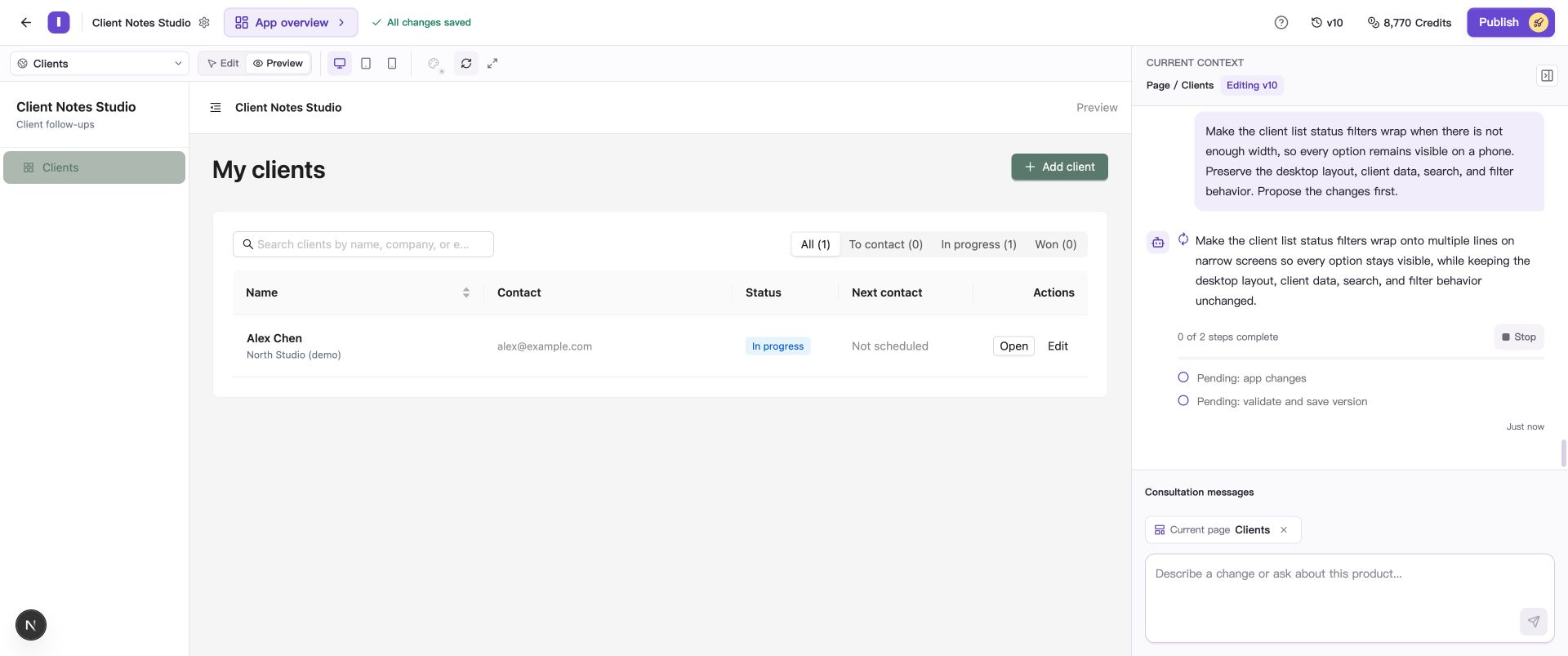
After reloading Builder, you can return to the stopped task and continue the original request.
The task keeps recoverable progress and continues with the remaining work.
Check the saved result
Confirm that the current version number updates, then inspect the original requirement in Preview. The example continued from v10 and saved v11, retaining the existing client record.
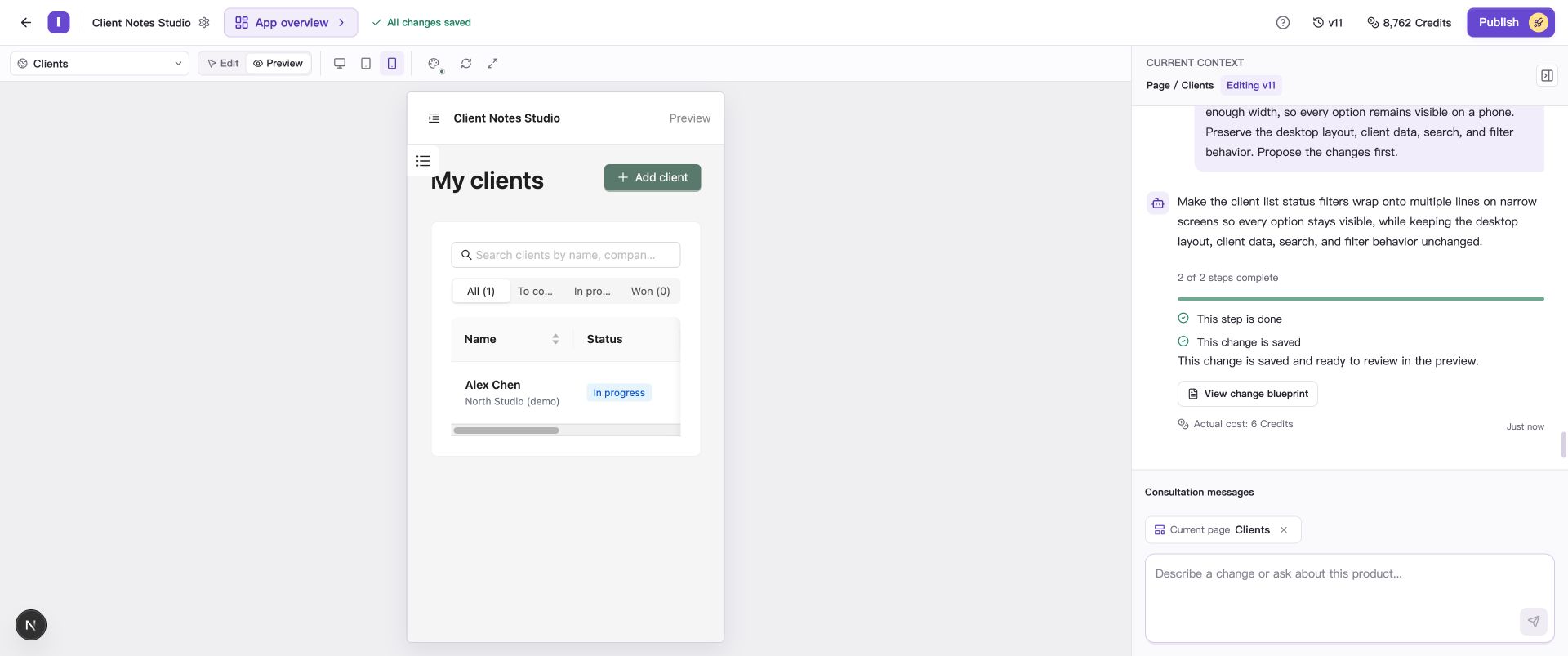
Some filter labels are still shortened in this result. To show every label in full, request that adjustment and check the phone layout again.
Try search, filters, and related forms as well. If the result is a draft, see Understand drafts, check results, and unverified items. If the task fails, see Continue after a failed generation.
If you cannot continue
If the app version or the Blueprint used for initial generation has changed, make a new request based on the current content. Describe what to keep and which work remains so the AI can continue the adjustment.
Continue generation resumes app execution. If you stopped an answer or plan preparation, you can ask your question or request the change again in the conversation.
Common questions
How do I check or stop a task after closing the browser?
Reopen the project and find the task in the conversation. To stop a task that is still running, use its Stop button and wait for the stopped result.
How is usage calculated when I stop and continue?
Work completed before stopping uses Credits, and continuing adds further usage. See usage records for the amounts.